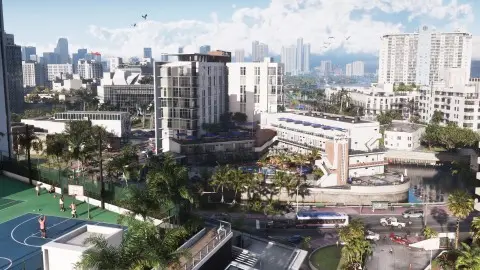
The Navigation Experience screen at the start of GTA 6 sets how the minimap behaves. Minimap (Dynamic) shows it only when you need it, Minimap & Compass (Dynamic) adds a compass at the top of the screen, and Minimap Always On keeps the classic GTA minimap on screen all the time. If you're new or unsure, pick Minimap Always On. You can change it later in Settings, UI, Navigation (Beebom, AllThingsHow).
The three options#
| Option | What you see | Good for |
|---|---|---|
| Minimap (Dynamic) | The minimap appears while driving, in missions and when you have an objective, and hides around your safehouse | A cleaner screen while you explore |
| Minimap & Compass (Dynamic) | The same, plus a compass at the top with map markers. It flashes red and blue when police are after you | Players who like Red Dead 2's compass |
| Minimap Always On | The minimap stays in the bottom-left corner all the time, except in cutscenes | Anyone who wants the old GTA layout |
The descriptions are from Beebom. Beebom's own pick is Minimap (Dynamic), and it says Always On can feel like a lot of information. Our view is simpler: if you get lost, Always On is the one that never hides the route.
How to change it later#
- Press Options on PS5 or Menu on Xbox.
- Open Settings and move to the UI tab with R1 or RB.
- Scroll to Navigation.
- Set Minimap and Compass to Off, Dynamic or On.
You can mix the two freely. The first screen only offers three combinations, but the UI tab lets you have, say, the compass always on and the minimap dynamic.
The other Navigation settings#
| Setting | Default | What it does |
|---|---|---|
| Minimap | Depends on your first choice | Off, Dynamic or On |
| Minimap Size | Default | Two sizes |
| Compass | Off | Off, Dynamic or On |
| GPS Route | On | Draws the route on the map |
| GPS Turn Indicators | On | Turn prompts while driving |
| Street Names | Off | Under HUD Notifications in the same tab |
Defaults are AllThingsHow's reading of the PS5 menu, one source, so treat them as reported. In the default control scheme, D-pad down is Objective and Minimap.
FAQ#
What is the best Navigation Experience in GTA 6?
Minimap Always On if you want the route visible at all times. Minimap (Dynamic) if you'd rather have a clean screen and don't mind the map hiding at home.
Why does my minimap keep disappearing?
You picked a Dynamic option. Set Minimap to On in Settings, UI, Navigation.
Can you change the Navigation Experience later?
Yes, through the Minimap and Compass rows in Settings, UI, Navigation.
How do you turn on street names?
Settings, UI, HUD Notifications, Street Names. It's off by default.
The rest of the menu is in best settings for GTA 6, and the full map with waypoints is in how to use the map.