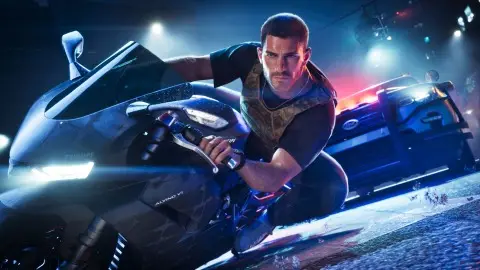
Most GTA 6 problems go away with three steps: close the game fully and restart the console, install the latest game and system updates, and check that PlayStation Network, Xbox network and Rockstar's services are up. If that doesn't do it, find your problem below. Each page lists the official steps from Sony, Microsoft or Rockstar first, then what players report.
Is it down right now#
- Is GTA 6 down: server, PSN and Xbox status, with links to the official status pages.
Download, install and licence#
| Problem | Page |
|---|---|
| Download stuck, not starting or slow on PS5 | GTA 6 not downloading on PS5 |
| Stuck in the queue or installation stopped on Xbox | GTA 6 not installing on Xbox |
| Not enough space, error CE-100028-1 | Not enough space |
| Not installable on this console or not compatible | Which consoles run it |
| Padlock on the game or asked to buy it on PS5 | Locked with a padlock |
| Error 0x803F8001 on Xbox | Xbox error 0x803F8001 |
| PS5 asks for a system update first | PS5 system update required |
| Preload didn't work | Preload not working |
Won't start, crashes and freezes#
- GTA 6 won't start: the game doesn't open at all.
- Crashing, freezing or stuck loading: Sony's cache rebuild, the Xbox power cycle and what to do about loading screens.
- Known bugs and glitches: what players are reporting so far and whether Rockstar has said anything.
Frame rate, stutter and settings#
GTA 6 targets 30 FPS on every console and has no performance mode, so some dips in big fights are normal.
| Problem | Page |
|---|---|
| Stuttering, lag or frame drops | Stuttering and frame drops |
| Want more FPS or a 60 FPS mode | GTA 6 FPS boost |
| Picture too dark, washed out or blurry | HDR settings and motion blur |
| Camera makes you feel sick | Camera settings |
| Controller drift or stiff triggers | Controller settings |
| Sound out of sync with the picture | Audio out of sync, Rockstar's own steps |
| Every setting in one place | GTA 6 best settings |
Saves and missions#
- How to save: 15 manual slots and one autosave, and why a save might not load.
- Crashes losing hours of progress: what players report and how to protect your save until Rockstar comments.
- Can you replay missions: no, so keep a manual save per chapter.
- Take Care of Jason won't complete: it finishes by itself later in Chapter 2.
- BuckMe account full: Rockstar says the limit rises as you play the story.
- Every story mission with the parts people get stuck on is in the missions list.
Getting around and staying alive#
Rockstar hadn't published a known-issues page or patch notes for GTA 6 when we last checked, at 15:30 UTC on 19 November. Its support pages so far are listed in everything Rockstar released for the launch. We add each fix here as soon as there's an official answer. If your problem isn't here, post it on the forum with your console and where it happens.