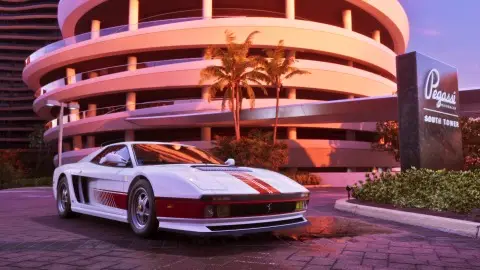
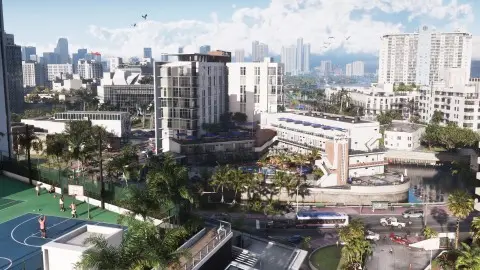
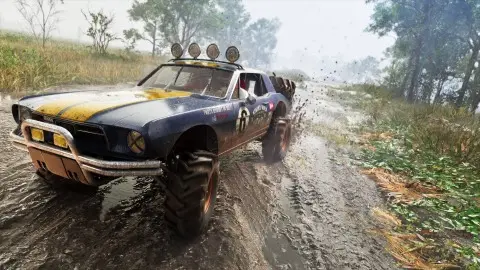
Some stutter in GTA 6 is the game, not your console. Digital Foundry measured frame drops on every console in chases, crashes and big shootouts, and no setting removes them. If it hitches in quiet scenes too, close the game fully, restart the console, install every update and make sure the game is on internal storage with space to spare. On Xbox, a 120 Hz output with VRR smooths the normal dips. As of 19 November, Rockstar hasn't said anything about a performance patch.
What's normal on each console#
| Console | In quiet scenes | In the heaviest action |
|---|---|---|
| PS5 Pro | 30 FPS, even frame pacing | about 24 FPS, briefly |
| PS5 | 30 with small, frequent dips | 23 FPS, until you leave the area |
| Xbox Series X | Mostly 30 | upper 20s in chases, about 20 in big fights |
| Xbox Series S | mid to upper 20s | mid-20s in combat, 18 to 19 at worst |
Digital Foundry's figures, as reported by TweakTown, TweakTown on Xbox and Kotaku. Players are reporting the same drops in fights on PS5 (PlayStation LifeStyle). If your game matches this table, nothing is wrong with your console.
Fixes, in order#
- Close the game fully and restart the console. Don't resume from rest mode or Quick Resume. On Xbox, hold the console's power button for about 10 seconds to power cycle it (Xbox Support).
- Install every update. The game's and the console's. On PS5: Settings, System, System Software (PlayStation).
- Check free space. On PS5, Settings, Storage. GTA 6 needs up to 212 GB plus room for updates, see how many GB is GTA 6.
- Play from internal storage. On Xbox, internal or an expansion card, not a USB drive. On PS5, the internal SSD or an M.2 drive.
- Rebuild the PS5 database. Start in Safe Mode and choose Clear Cache and Rebuild Database (Sony's own step for GTA VI problems).
- Let the console breathe. Clear the vents and leave space around it.
- Reinstall only as a last resort, and back up your saves first.
Settings that make dips feel smaller#
| Setting | Where | What it does |
|---|---|---|
| 120 Hz output and Allow variable refresh rate | Xbox: Settings, General, TV and display options | Smooths dips on a VRR TV, Digital Foundry found (Pure Xbox) |
| VRR | PS5: Settings, Screen and Video, Video Output | Nothing for GTA 6. It only works above 48 FPS (GTA BOOM) |
| Motion Blur Strength | GTA 6: Settings, Display | More blur hides judder on camera turns, see motion blur |
| Game mode | Your TV | Cuts the TV's own delay |
None of these raise the frame rate above 30. The full breakdown is in GTA 6 FPS boost.
Stutter or crash#
A short hitch that recovers is a frame drop. If the picture freezes for good, the game closes, or the console switches off, that's a crash, see crashing or freezing. Every other problem is in GTA 6 problems and fixes.
If it still stutters#
- Note where and when. The place, the mission and what was happening.
- Report it to Rockstar Support with your console model.
- Compare with others on our forum. If everyone sees it in the same spot, it's the game.
- Check the known bugs in GTA 6 known bugs and glitches.
FAQ#
Why is GTA 6 stuttering on PS5?
Some dips are normal. Digital Foundry found the base PS5 drops to as low as 23 FPS in big explosions and stays there until you leave the area. If it stutters in quiet scenes, restart, update and rebuild the database.
Why does GTA 6 lag on Xbox Series S?
The Series S runs GTA 6 at 720p and often sits in the mid-20s, Digital Foundry found. Set the console to 120 Hz with VRR to smooth it, see GTA 6 on Series S.
How do you fix frame drops in GTA 6?
You can't remove the drops in heavy scenes. Restart fully, install updates, free up space, keep the game on internal storage, and on Xbox use 120 Hz with VRR.
Will Rockstar fix GTA 6 frame drops?
Rockstar hasn't said. It hadn't published patch notes or a known-issues list when we last checked.
Does reinstalling GTA 6 fix stuttering?
Rarely. Try a restart, updates and the PS5 database rebuild first. Reinstall only if a damaged install is the likely cause, and back up saves first.