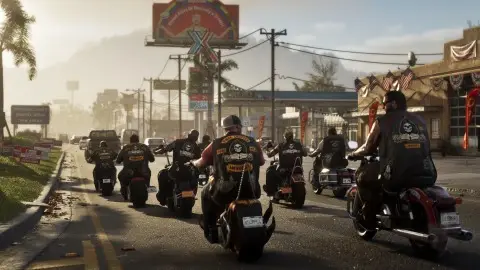
To auto drive in GTA 6, set Auto Drive to Unrestricted under Settings, Gameplay, place a waypoint on the map, then switch to Cinematic Mode in your car and hold Circle (B on Xbox) when the Auto Drive prompt shows. The car then drives itself to the waypoint and keeps to traffic rules, so it's slow (Beebom, Game Rant, TheGamer).
Step by step#
These steps follow Beebom's guide (Beebom):
- Open Settings, Gameplay and set Auto Drive to Unrestricted.
- Place a waypoint on the map.
- Get into a vehicle with Triangle or Y.
- Enter Cinematic Mode: hold D-pad down and press Options (PS5) or Menu (Xbox).
- Start Auto Drive: press R2 or RT lightly until the prompt appears, then hold Circle or B.
Game Rant describes entering the cinematic camera by holding D-pad down alone, so the exact input may differ slightly between game versions (Game Rant). Follow the on-screen prompt if it shows something else.
Speed and stopping#
| Action | PS5 | Xbox |
|---|---|---|
| Slow down | L2 | LT |
| Speed up | R2 | RT |
| Leave Cinematic Mode | Hold D-pad down | Hold D-pad down |
When it's useful#
Auto Drive is a hands-free way to cross Leonida and clear map fog while you watch the scenery. For distance, a plane is faster. See getting around Leonida, how to fast travel and how to use the map. Auto Drive is also listed among the accessibility options in our best settings guide.
FAQ#
Is there auto drive in GTA 6?
Yes. It works from Cinematic Mode once a waypoint is set and Auto Drive is set to Unrestricted in the gameplay settings.
Why won't auto drive work in GTA 6?
Check that Auto Drive is set to Unrestricted, that a waypoint is placed, and that you're in Cinematic Mode before you hold Circle or B.
How do you turn off auto drive in GTA 6?
Hold D-pad down to leave Cinematic Mode and take the wheel back.
Can you change the speed in auto drive?
Yes. L2 or LT slows the car down and R2 or RT speeds it up.