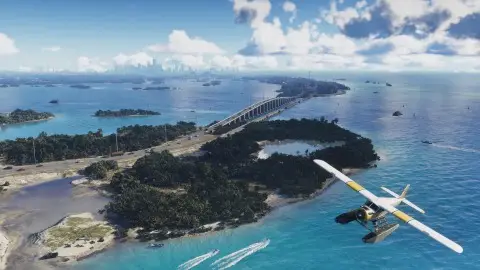
If GTA 6's sky hasn't changed in days, install update 01.002.002, then sleep at a safehouse a few times or fully quit and reload your save. Rockstar's patch notes list a fix for weather that stays the same for long periods, but some players on PS5 Pro and Xbox still reported no change on 25 November (GameBrief, IBTimes).
- 01.002.002The patch with the fix
- 23 NovPatch out
- 3Fixes players use
- MixedReports after the patch
Quick answer#
| The bug | Weather locks on one state, usually sunny, for days of game time |
| Official fix | 01.002.002, 23 November. Rockstar's notes: weather not changing for extended periods |
| Still happening | Some players say yes, on PS5 Pro and Xbox, on 25 November |
| Best fixes | Patch, sleep a few days, full restart |
| PS5 extra | Clear the system cache in Safe Mode, players report it brings rain back, see below |
| Rockstar | No word on the reports after the patch |
3 fixes to try#
- Check you have 01.002.002. On PS5 it reached players in waves, so some consoles got it hours later. On PS5 press Options on the game tile and pick Check for Update. See the patch notes.
- Sleep at a safehouse a few times. Each sleep skips ahead, and GTA6BUGS suggests checking the in-game Weather app after each one (GTA6BUGS).
- Quit the game fully, then reload. Close it instead of leaving it in rest mode, and skip Quick Resume on Xbox, by TPose Gaming and GTA6BUGS (TPose Gaming). One guide credits a player who loaded an autosave instead of a manual save. That's one player's report.
PS5: clear the system cache#
Clearing the PS5 system cache in Safe Mode is the GTA 6 weather fix PS5 players have shared since 26 November. Several players say rain and storms came back after it, in reports collected by GamesRadar+, PlayStation LifeStyle and Yahoo Tech. It isn't an official fix, and not everyone sees a change (GamesRadar+, PlayStation LifeStyle, Yahoo Tech).
- Turn the PS5 off fully, not into rest mode.
- Hold the power button until the second beep, about 7 seconds, to start Safe Mode.
- Plug the controller in with a USB cable and press the PS button.
- Pick option 6, Clear Cache and Rebuild Database, then Clear System Software Cache. It doesn't delete saves or games.
- Restart and load GTA 6. The whole thing takes about two minutes, the player who shared it says.
- !Don't pick Reset PS5 in the same menu. That one wipes the console.
- ?Mixed results. TalkEsport collects reports from players who only saw rain after a clean restart or several more hours of play, and The Tab notes some still see little change ([TalkEsport](https://www.talkesport.com/gta-6/gta-6-weather-bug-fix/), [The Tab](https://thetab.com/2026/11/27/three-reasons-gta-6-players-arent-seeing-all-the-dynamic-weather-and-how-to-fix-this)).
- ⚡On Xbox, the closest step is a full restart without Quick Resume, fix 3 above.
Nothing works? Report the save to Rockstar Support with your platform and the chapter you're on. Bugs still open after the patch are on known bugs and glitches.
What players report after the patch#
- ☀Still stuck. Players on PS5 Pro and Xbox posted on 25 November that the weather hadn't changed, by GameBrief.
- ⚡Sudden flips. Others say the sky now switches in an instant instead of rolling in, by GameBrief.
- ☔First storms. Some saw their first storm after updating, and GTA6BUGS says players see far more rain from Chapter 4 on.
Is rain just rare#
Partly. Rockstar confirmed hurricanes, tropical storms and local showers before launch, so rain is in the game (Dexerto). The patch fixed weather that stopped changing, not how often it rains, TPose Gaming points out. A long sunny spell in Vice City can be normal Florida weather.
FAQ#
Did Rockstar fix the GTA 6 weather bug?
Rockstar's 01.002.002 notes list a fix for weather not changing for long periods. Some players still report it on 25 November.
How do I make it rain in GTA 6?
The Cycle Weather cheat unlocks once you finish the story, see GTA 6 cheats. Before that, sleeping at a safehouse a few times moves the clock on and gives the weather a chance to change.
Does clearing the PS5 cache fix the GTA 6 weather?
For some players. Several PS5 players report rain and storms after clearing the system cache in Safe Mode, and others see no change, see the steps. It's a player workaround, not a Rockstar fix.
Does the stuck weather break missions?
No mission has been reported as blocked by it. Other bugs that do block progress are on mission call not coming.